Simple No customer app · No QR code · One tap · Requires an active Google Business Profile
The wearable review system for customer facing teams
Stop hoping your staff remembers to ask for reviews.
Give them a one-tap system they can use while the happy customer is still standing in front of them. You can see exactly who is using it.
∞
Buy the wristband once. Keep using it.No subscription required for continued wristband use.
Your staff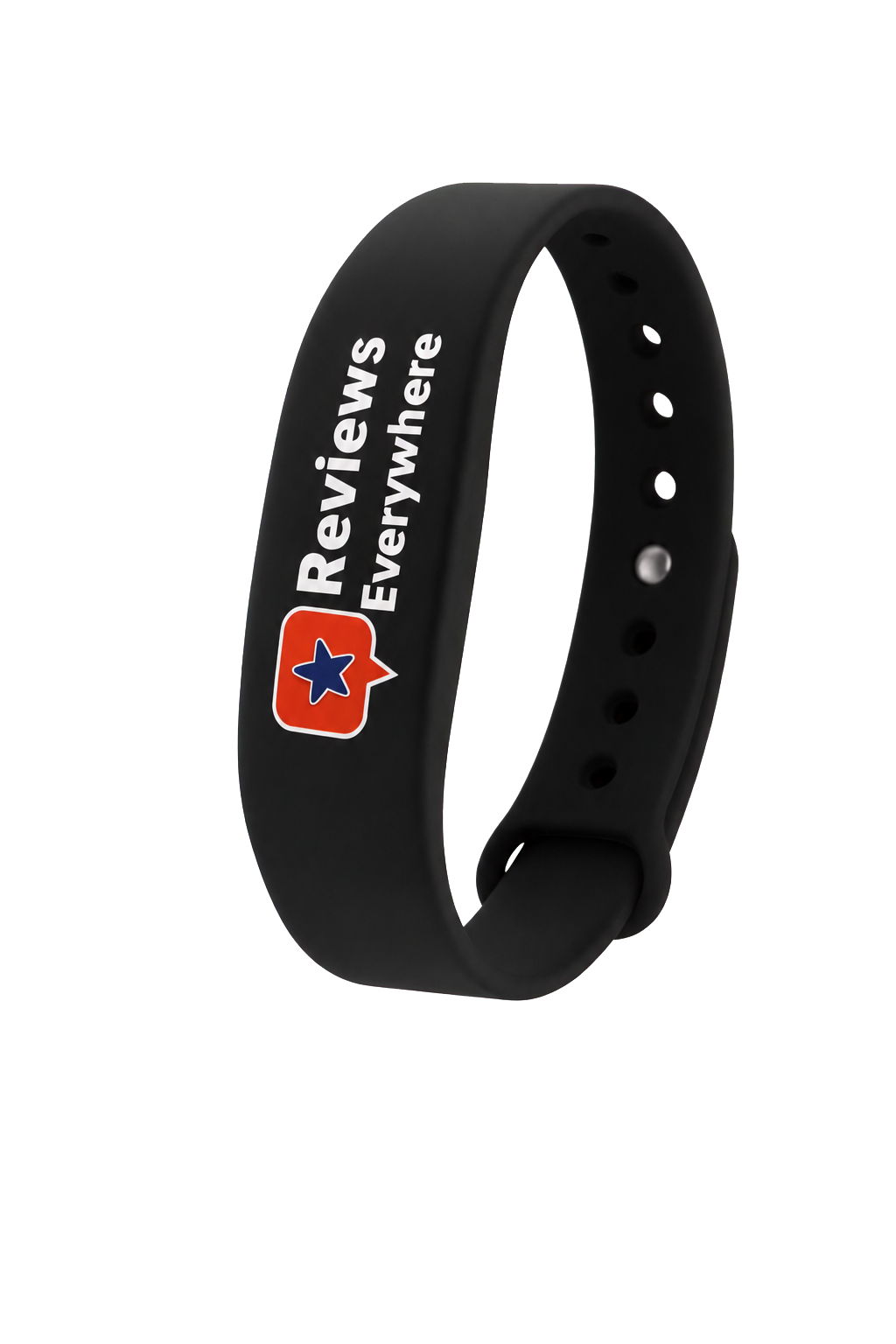
Your customerYou track everything
Opening review page
GReviewsWhat was your experience?★★★★★Write a review
✓Review submitted
“Fast, friendly service.”
★★★★★Tap detected
THE COST OF WAITING
How much could a weak review profile be costing you every month?
Do not guess. Put in your numbers and see how quickly low trust can turn profile views into missed customer actions.
YOUR CURRENT GOOGLE PROFILEBuild your scenario
Monthly profile viewsApproximate views from your Google Business Profile
1005,000
YOUR REVIEW REVENUE LEAKHigh friction
Your profile may be sending ready to buy customers somewhere else.
Potential monthly revenue exposed$4,050Based on approximately 27 missed customer actions
Trust friction30%
Healthy profile action rate12%
If you close only 25% of the leak$1,013 / month
The expensive problem is not one bad review.
Start Getting More Reviews Illustrative scenario based on your inputs and a 12% healthy profile action rate. Actual customer behavior and results vary. Reviews Everywhere measures review opportunities and does not guarantee published reviews or revenue.It is having no consistent system to bring fresh customer experiences into the conversation.
START WITH THE PROBLEM YOU RECOGNISE
Which review problem is costing your business opportunities right now?
Choose the situation that looks most familiar.
★
One bad review should not become the first impression of your business.
When a recent one star review sits near the top, it can dominate the decision before a prospect ever calls. A steady flow of authentic customer feedback helps your profile reflect more than one negative experience.
THIS IS NOT A GENERIC NFC WRISTBAND
Your business can keep hoping for reviews. Or it can install a system that makes the ask happen.
Reviews Everywhere puts the request on your team, opens the review destination with one tap and gives you visibility into the activity.
You are leaving review growth to memory, timing and good intentions.
Staff forgets to askThe customer leaves and the best moment disappears.
Cards and QR codes stay behindThe request is separated from the real customer interaction.
No accountabilityYou cannot see who is asking or which shifts are missing opportunities.
Competitors keep building momentumTheir review profile grows while yours depends on chance.
No reliable process to improveYou have opinions about staff participation, but no activity data.
Hope is not a review strategy.
Give your team the system.Give yourself the visibility.
Your staff
Your customerYou track everything
Opening review page
GReviewsWhat was your experience?★★★★★Write a review
✓Review submitted
“Fast, friendly service.”
★★★★★Tap detected
EXAMPLEWeekly team tap challengeTap leaderboard
1👨🏻Michael J.14 taps
2👩🏽Olivia11 taps
3👨🏽Daniel8 taps
Make participation visible. Recognize consistency. Give the whole team a number to beat.
Your employees wear the wristbandThe review request stays present during real customer conversations.
Your customer taps with their phoneThe selected review destination opens without searching or downloading an app.
Create a more consistent flow of review opportunitiesYour team has a repeatable way to ask every day without relying on memory.
Your team and wristbands keep working for youThe wristbands continue opening your review destination without a required software subscription.
INCLUDED WITH YOUR ORDER21 days of Performance IntelligenceExplore tap tracking, staff attribution and advanced analytics at no additional cost.
Get started now One time wristband purchase · Optional Premium upgradeGOOD INTENTIONS DO NOT CREATE CONSISTENCY
Every review you ask for “later” becomes easier to forget.
The customer leaves. The moment passes. Your card ends up in a pocket and your QR code stays on the counter. Reviews Everywhere lets your team make the ask before attention disappears.
“Please find us on Google later.”
BUSINESS
Review later?
Moment missed
1Ask them to find you laterThe request begins with delay and extra effort.
2The customer leavesDaily distractions replace the intention to review.
3The opportunity is lostYou never know where the process failed.
★★★★★
THE REVIEWS EVERYWHERE WAY
“Just tap my wristband.”
1Finish the interactionAsk while the positive experience is still fresh.
2Your staff asks for the tapThe wristband is ready exactly where the conversation happens.
3The review page opens nowThe customer can leave the review immediately from their phone.
FROM ORDER TO FIRST TAP
Your team can be ready before the next happy customer walks in.
We guide the administrator through setup. Your staff only needs to wear the wristband and ask.
⌁
Order your wristbands
Choose enough wristbands for the customer facing people you want to equip.
✉
Check your confirmation email
We confirm the order and send the instructions you need for the next step.
↓
Download the mobile app
Set up the administrator account while your wristbands are on the way.
◎
Map and activate each wristband
When they arrive, connect every wristband to its destination, team and staff member.
→
Give them to your team
Each customer facing employee wears the wristband assigned to them.
Ask. Tap. Done.
Your team asks at the right moment. The customer taps and the review destination opens.
Your staff does not need an account or an app. They wear the wristband and ask for the tap. You control everything else.
FROM FIRST TAP TO REVIEW MOMENTUM
Your team makes the ask. You see every tap. Review growth stops being a guess.
★★★★★Order the wristbands. Your team asks customers to tap. You track participation and see how review growth changes over time.
BUSINESS PROFILE GROWTHAustin, Texas
West 6th StreetDowntown Austin
You, wherever you areTrack your team at work
⌂Your BusinessAustin, TX
Growth tracking connected
Published reviews248+6 this week
LIVE ACTIVITYUpdated now
Team taps38+14 this week
Active staff4Across 2 teams
Tap activity and published reviews are measured separately, then viewed together.
Order and assignConnect each wristband to the person who will wear it.
Your team wears it and asksThe review request stays present during every customer conversation.
Track attributed tap activitySee who is participating, when customers tap and where opportunities are being created.
Connect team activity to review growthWith Premium, compare offline tap activity with your changing online review profile.
COMPARE THE MECHANISM
A card waits. A wristband goes to work.
What your team needsCards & QR codesReviews Everywhere
Always present during the interactionNo✓
One tap access to the review pageNo✓
Assigned to a specific staff memberNo✓
Team activity and performance dataNo✓
Mapped to a business, location and staff memberNo✓
YOUR TEAM COVERAGE CALCULATOR
How many wristbands does your business actually need?
Answer two simple questions. We will show you the minimum setup needed to put the review request into more customer conversations.
KEEP YOUR COVERAGE INTACTBusy shifts are exactly when wristbands get misplaced.Add two spares now so one lost band never stops your team from asking.
MOST POPULAR TEAM SETUP
3
wristbandsto cover your current team
Equip each customer facing person and keep at least one active review prompt available across all 1 location.
YOUR TEAM SETUP OFFERSave 15% todayUse code15OFF
Get 3 wristbands now One wristband per customer facing person. We never recommend fewer wristbands than active business locations.REVIEWS EVERYWHERE PREMIUM · OPTIONAL UPGRADE
Stop guessing whether your team is asking for reviews.
See who takes action, when customers respond and whether your business is gaining ground against local competitors.
THE WRISTBANDSKeep working without a software subscription.
PREMIUM INTELLIGENCEOptional after your included 21-day access period.
BEFORE AND AFTER REVIEW GROWTH
Track every review your business earns after activation.
Create a clear starting baseline, compare it with your current review count and measure real growth over time.
Reviews earned since activationCurrent five-star review rateRecent reviews, ratings and contentAutomatic daily data sync
M
Morning ShiftRW Gold Restaurant · Main Location
ItalianSynced↻ Last update: 2h ago↻ Next update in: 21h 43m
RECENT REVIEWSSynced Jul 24
Google ReviewerNEW
★★★★★ Jul 23, 2026“A friendly team and a smooth experience from start to finish.”
↗
TEAM PERFORMANCE ANALYTICSSee exactly who is creating activity.
Track total taps, unique customers, active members and average taps per person.
◷
PEAK-TIME TRACKINGKnow the best days and hours to ask.
Show your team when customers are most likely to interact with a wristband.
⌁
TAP GROWTH OVER TIMESpot momentum before it disappears.
Identify improvements, slowdowns and longer-term participation trends.
◎
MULTI-TEAM MANAGEMENTOne account. Every team and location.
Monitor departments, branches and groups with separately assigned staff and wristbands.
↻
DAILY DATA SYNCOpen the app to current numbers.
Review and competitor data refresh automatically every day.
★
RECENT REVIEW MONITORINGSee newly published reviews inside the app.
Read the rating, date and customer review content without changing tools.
◎
Competitor Radar AnalysisCompare your review strength against top local competitors.
◎
30-DAY RADAR CYCLEStarted Jul 25, 2026
29days leftYOUR BUSINESSMorning Shift RW Gold RestaurantRestaurant52reviews
↻ Last update:3h ago↻ Next update in:20h 47m
7 Days14 DaysFull Cycle
1Top2High3Mid4Low
1Jiang Nan NYC2081reviews
2Dim Sum Palace1229reviews
3DONG BEI Restaurant249reviews
4RW Gold Restaurant · YOU52reviews
💡 You need 2029 more reviews to beat “Jiang Nan NYC” and take the top spot.
COMPETITOR RADAR
See who is gaining reviews before the gap grows.
Compare your Google review strength against three local competitors for a complete 30-day tracking cycle.
- Current review totals and reviews earned
- Your position against each competitor
- Reviews needed to overtake them
- 7-day, 14-day and full-cycle views
- Automatic competitor finder or manual selection
YOUR WEEKLY AI PERFORMANCE COACH
Do not just receive a report. Understand what happened, why it matters and what your team should do next.
Each part of the report answers a different management question. Nothing is compressed into one unreadable dashboard.
01 · WEEKLY EXECUTIVE SUMMARY
Know the one insight that should change next week's plan.
The AI coach reviews seven days of activity and surfaces the most important pattern first, so you do not have to interpret every chart yourself.
- Strongest performance window
- Biggest unused opportunity
- Staff participation pattern
✦
WEEKLY PERFORMANCE COACHRW Gold RestaurantLast 7 days · Updated today
AI REPORTYour team created steady activity, but the evening shift left the biggest opportunity unused.
The strongest performance came between 11:00 AM and 2:00 PM. Three staff members generated most of the customer taps.
MMorning Shift4 active staff
TOP SHIFTTOTAL TAPS24UNIQUE CUSTOMERS19AVG. TAP PER STAFF6.0
1Michael J.82Olivia63Daniel5
02 · YOUR STRONGEST SHIFT
See exactly which shift and staff members are carrying the result.
Break team performance down by shift instead of hiding everyone inside one company average.
- Compare taps and unique customers
- See average taps per staff member
- Recognize the people creating momentum
03 · THE PERFORMANCE GAP
Catch the shift that is missing opportunities while customers are still walking in.
Low activity becomes visible immediately. You can see when a team's tap activity falls even though customer traffic remains strong.
- Identify underperforming shifts
- Spot time-based activity drops
- Coach with evidence instead of assumptions
EEvening Shift3 active staff
NEEDS ATTENTIONTOTAL TAPS4UNIQUE CUSTOMERS4AVG. TAP PER STAFF1.3
ACTIVITY SIGNALPerformance dropped after 6:00 PM
Customer traffic remained strong, but the review request activity did not follow it.
REVIEWS EARNED SINCE ACTIVATION+17Synced from Google
ESTIMATED MISSED OPPORTUNITIES11Based on team activity
IMPROVEMENT OPPORTUNITY32%Illustrative estimate
AI
RECOMMENDED NEXT ACTIONRun a 7-day evening-shift challenge.
- Coach the evening team before the next shift.
- Ask immediately after a positive customer interaction.
- Recognize the top performer in next week's team meeting.
04 · OPPORTUNITY AND NEXT ACTION
Turn the numbers into a specific action your team can use next week.
Connect review growth with team participation, estimate the opportunity being missed and receive one focused coaching recommendation.
- Reviews earned since activation
- Estimated missed opportunities
- Recommended seven-day action plan
LIVE TEAM ANALYTICS
One account. Every shift, location and staff member.
Move beyond a single total. Compare customer reach, staff participation and tap trends across the teams that run your business.
Live shift comparisonUnique customer reachPeak-time visibilityTap growth over time
▰
Team PerformanceMorning Shift · RW Gold Restaurant
LIVETap activityLast 7 days
▣WRISTBAND OWNERSHIP SCANNERWho owns this wristband?
⌁
Tap wristband to phoneIdentification takes seconds
SCANNING✓ IDENTIFIED
MJ
ASSIGNED TOMichael J.Morning Shift · RW Gold Restaurant
Active wristband Correct team Ready to use
WRISTBAND OWNERSHIP SCANNER
Tap any wristband and identify its owner in seconds.
No guessing and no spreadsheet search. Confirm the assigned employee, shift and business before putting a wristband back into use.
Identify the staff memberConfirm the assigned shiftVerify the business locationCheck wristband status
THE WRISTBAND CREATES THE MOMENT. PREMIUM EXPLAINS THE RESULT.
You do not just see more activity. You see where it comes from and what to do next.
Start with the included 21 days. Keep Premium only when the additional visibility earns its place in your business.
Start Getting More Reviews No forced subscription. Your wristbands keep working.REMOVE THE LAST REASONS TO WAIT
Questions smart buyers ask before ordering.
Does the customer need an app?+
No. The customer simply taps the wristband with a compatible smartphone. The phone opens the business’s Google review screen automatically, with no download, account or QR code required.
Does each employee need an account?+
No. Only the account administrator manages the platform. Staff members simply wear their assigned wristbands and ask customers for feedback at the right moment.
Can I change the wristband link?+
No. During onboarding, the administrator is guided through connecting each wristband to the correct Google Business Profile, business location, team and staff member. The destination is then protected because freely changing it could break the connection between online Google review growth and the offline activity generated by your team.
Can a wristband be reassigned?+
No. The administrator maps every wristband to its staff member during onboarding. If you are ever unsure who a wristband belongs to, use the in-app Who? Wristband Scanner to tap it against your phone and immediately confirm its assigned business, location, team and staff member.
Does it work with Google reviews?+
Yes. Reviews Everywhere is purpose-built to help local businesses with one or multiple locations create more Google review opportunities and measure the activity behind them.
Does every tap guarantee a review?+
No. After completing a service, delivering the bill or finishing a positive customer interaction, a staff member can politely invite the customer to tap and leave feedback. The tap opens the business’s Google review screen, but the customer always decides whether to submit and publish the review.
Do the wristbands stop working after 21 days?+
No. Your wristbands continue opening the connected Google review destination. The 21-day period applies only to the included advanced tracking and Performance Intelligence access.
Is a Premium subscription required?+
No. Premium is optional. It continues advanced analytics, AI reporting, competitor monitoring and combined online and offline intelligence after the included access period.
BEFORE YOUR NEXT CUSTOMER WALKS IN
See what your local market may be taking while your review process waits.
Build a fast local simulation around your city, your industry and the customers you already serve.
LOCAL OPPORTUNITY ANALYZER
Your customers are already coming. How many leave without strengthening your reputation?
You paid to attract them. You delivered the service. Now see what a consistent review request system could make possible.
Estimated simulation only. No live customer or competitor data is used.
Get started Get More Reviews